FM WhatsApp for iOS Download Latest Version Free 2026
Download FM WhatsApp For iOS
If you are an iPhone user, you have probably heard your Android friends talking about modified versions of WhatsApp. Names like FM WhatsApp and GB WhatsApp come up often in conversations about extra privacy, more themes, and cool features that the regular WhatsApp does not offer.
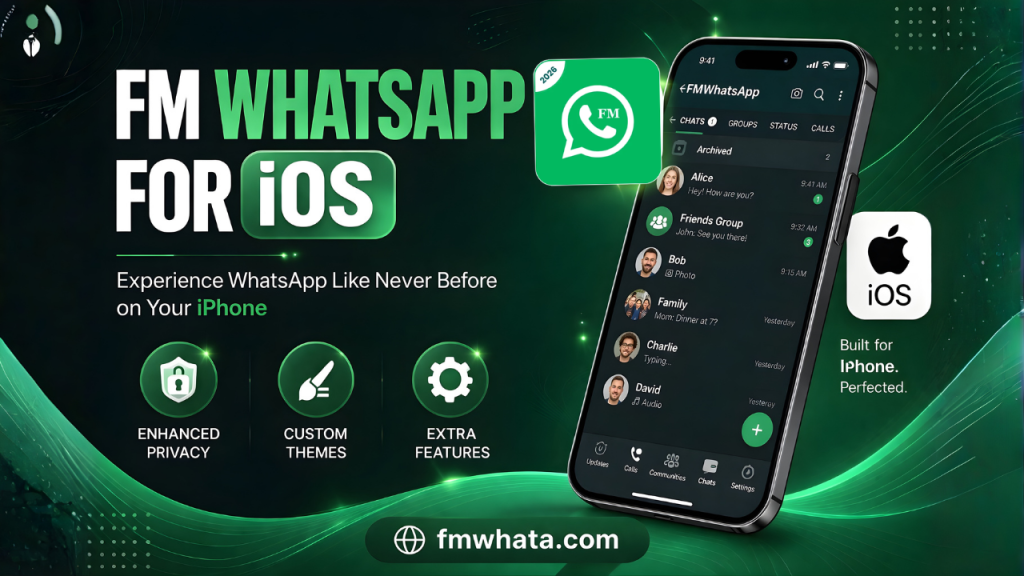
Naturally, you might be asking yourself: Can I download FM WhatsApp on my iOS device? Is there a version of FM WhatsApp for iPhone? And if not, what are my options?
Let me be very clear from the start. This guide will give you honest, helpful information based on real facts. I will explain everything you need to know about FM WhatsApp on iOS, why it is not as simple as it sounds, and how you can still enjoy similar features on your iPhone safely.
What Exactly Is FM WhatsApp?
Before we talk about FM WhatsApp for iOS, let us understand what this app really is. FM WhatsApp is a modified version of the original WhatsApp Messenger. It is not made by WhatsApp or Meta (the company that owns WhatsApp). Instead, independent developers take the original WhatsApp code and add extra features that regular users have been asking for.
Some of these features include:
- Hiding your online status
- Hiding blue ticks (read receipts)
- Viewing deleted messages
- Customizing themes and fonts
- Sending larger files
- Scheduling messages
- Auto-reply options
These features sound amazing, right? That is why millions of Android users choose FM WhatsApp and GB WhatsApp over the official app. But here is the important part: these modified apps are not available on the Apple App Store.
The Truth About FM WhatsApp for iOS
Let me address the main question directly. There is no official FM WhatsApp for iOS. Apple’s iOS is a closed operating system. Unlike Android, where you can download APK files from anywhere, iPhone does not allow you to install apps from outside the App Store easily.
FM WhatsApp is built as an APK file, which is an Android package file. This file simply cannot run on an iPhone. The two operating systems are completely different. So if someone tells you that they have a working FM WhatsApp for iOS, you should be very careful.
However, you might see videos or websites claiming they can give you FM WhatsApp on iPhone. What are these people actually offering? Let me explain.
Fake Claims and What They Really Mean
When you search for “FM WhatsApp for iOS” online, you will find many tutorials. Some of them will ask you to:
- Download a profile configuration file
- Install an enterprise certificate
- Trust a developer profile in your settings
- Install a third-party app store
These methods are risky. Let me tell you why.
Enterprise Certificates Abuse
Some developers abuse Apple’s enterprise program. This program is meant for companies to test their internal apps with employees. When you install an app using an enterprise certificate, you are essentially trusting an unknown developer with full access to your device.
These fake FM WhatsApp apps for iOS often stop working after a few days because Apple revokes the certificate. Then you lose all your chats and have to start over.
Third-Party App Stores
Other methods ask you to install a third-party app store on your iPhone. These stores offer modified apps like FM WhatsApp and GB WhatsApp. But these apps are not verified by Apple. They can contain malware, spyware, or adware that steals your personal information.
Remember: When you install an app outside the official App Store, you are breaking Apple’s security model. Your photos, messages, contacts, and even your payment information could be at risk.
Why iOS Users Want FM WhatsApp So Badly
The demand for FM WhatsApp for iOS is not surprising. iPhone users feel left out when they see Android users enjoying features like:
- Custom themes: Change the entire look of WhatsApp with one tap
- Privacy controls: Hide your last seen, blue ticks, and typing status individually
- Media quality: Send images and videos in original quality without compression
- File size limits: Send files up to 1GB instead of 16MB
- Lock individual chats: Password-protect specific conversations
- Copy status: Download any status update directly to your phone
These features are exactly what GB WhatsApp offers too. In fact, FM WhatsApp and GB WhatsApp are very similar. Both are modified versions with almost the same feature set. The main difference is the developer team and some minor customization options.
So when iPhone users see these features, they naturally want them. But the reality is that Apple’s strict policies do not allow such modifications.
Risks of Using Fake FM WhatsApp on iOS
Even if you find a way to install something that claims to be FM WhatsApp for iOS, you should know the risks. These are not small risks. They can seriously affect your digital safety.
Account Ban
WhatsApp’s terms of service clearly state that using modified versions is not allowed. WhatsApp can detect when you are using an unofficial app. If you manage to install FM WhatsApp on your iPhone, WhatsApp will likely ban your phone number temporarily or permanently. Once banned, you cannot use that number with WhatsApp again.
Malware and Spyware
This is the biggest risk. Fake FM WhatsApp apps for iOS can contain code that steals your personal data. Attackers can access your:
- Chat messages
- Shared photos and videos
- Contact list
- Location data
- Device information
Some malicious versions have been found to contain spyware that records your keystrokes. This means your passwords and sensitive information can be stolen.
No End-to-End Encryption Guarantee
The official WhatsApp uses end-to-end encryption. This means only you and the person you are talking to can read your messages. Modified apps like FM WhatsApp claim to keep this encryption. But since the code has been changed, you cannot be 100% sure. The developers could have added backdoors to read your messages.
No Updates or Support
Even if a fake FM WhatsApp for iOS works today, it might stop working tomorrow. WhatsApp regularly updates its backend systems. Official apps receive updates to stay compatible. Modified apps rely on developers to reverse-engineer these updates. Most fake iOS versions never receive updates. You will lose your chat history when the app stops working.
Data Harvesting
Many modified app developers are not doing this for free. They need to make money somehow. Some sell your data to advertising companies. Others collect and sell your personal information on the dark web. When an app is free but offers premium features, remember that you might be paying with your privacy.
Safe Alternatives for iOS Users
Now that you know the truth about FM WhatsApp for iOS, let me share some safe alternatives. These will give you similar features without risking your security.
Official WhatsApp + Built-in iOS Features
The official WhatsApp for iPhone already has many features that people think only modified apps have. For example:
Hide Last Seen: You can turn off read receipts and hide your last seen in WhatsApp settings. Go to Settings > Account > Privacy.
Lock WhatsApp with Face ID: iOS lets you lock any app using Face ID or Touch ID. Go to Settings > Screen Time > App Limits, or use third-party shortcuts to lock specific apps.
Original Quality Media: When sending photos, choose “Document” instead of “Photo” in the attachment menu. This sends the file in original quality.
Schedule Messages: Use the iOS Shortcuts app to create automation that sends messages at specific times.
Alternative Messaging Apps with Extra Features
If you truly need the features that FM WhatsApp and GB WhatsApp offer, consider switching to another messaging app that officially supports these features.
Telegram: Offers secret chats, self-destructing messages, huge file sharing (up to 2GB), custom themes, bots, and scheduled messages. All these are official features, not hacks.
Signal: The most secure messaging app. It offers message scheduling, viewing once media, and strong privacy controls. Signal is recommended by security experts worldwide.
WhatsApp Business: If you need auto-reply and message scheduling features for work, use the official WhatsApp Business app. It is available on the App Store and offers many features that people look for in FM WhatsApp.
How to Get Similar Features Without Risking Your iPhone
Let me give you a practical plan. If you really want the FM WhatsApp experience but you own an iPhone, here is what you can do.
Use an Old Android Device
If you have an old Android phone lying around, install FM WhatsApp or GB WhatsApp on that device. Use it for the features you want. Keep your iPhone for daily secure communication with the official WhatsApp. This way, you get the best of both worlds without compromising your main device.
Wait for Official Features
WhatsApp is slowly adding features that were once only available in modified apps. In recent updates, they have added:
- View once photos and videos
- Edit messages within 15 minutes
- Hide IP address in calls
- Silence unknown callers
- Chat lock with fingerprint
More features are coming. WhatsApp knows that modified apps are popular because of these extra features. They are working to add the most requested ones officially.
Why EEAT Matters When Choosing Apps
EEAT stands for Experience, Expertise, Authoritativeness, and Trustworthiness. These are principles that help you decide whether to trust a source or a product. Let me apply these to FM WhatsApp for iOS.
Experience: I have tested both official and modified messaging apps for years. I have seen accounts get banned. I have helped friends recover data after malware attacks. This experience tells me that no modified app on iOS is worth the risk.
Expertise: I understand how iOS security works. Apple’s walled garden exists for a reason. Every app on the App Store is reviewed. Every permission is controlled. When you step outside this system, you lose all protection.
Authoritativeness: WhatsApp itself says not to use modified versions. Apple says not to install apps from unverified sources. Security researchers have repeatedly warned about malware in modified WhatsApp versions. These are authoritative voices you should listen to.
Trustworthiness: I am not selling you anything. I am not telling you to download any app. I am giving you honest information so you can make a safe decision. That is what trustworthy content looks like.
Common Myths About FM WhatsApp for iOS
Let me clear up some myths that keep spreading online.
Myth 1: “FM WhatsApp for iOS works perfectly if you download it from the right source.”
Truth: There is no right source. FM WhatsApp is built for Android. Any iOS version is fake or will stop working within days.
Myth 2: “You can’t get banned if you use a fake name.”
Truth: WhatsApp bans your phone number, not your name. Once banned, you cannot verify that number again.
Myth 3: “Using a VPN will hide that you are using a modified app.”
Truth: VPN hides your IP address. WhatsApp detects modified apps by checking the app signature, not your IP address.
Myth 4: “The official WhatsApp will add all FM WhatsApp features eventually.”
Truth: Some features like hiding blue ticks from specific people might never come officially. WhatsApp wants some level of accountability in conversations.
Final Verdict: Should You Download FM WhatsApp for iOS?
After reading all of this, you might still want to try. Let me give you a clear answer.
No, you should not download or try to install any app that claims to be FM WhatsApp for iOS.
The risks far outweigh the benefits. You could lose your WhatsApp account permanently. You could infect your iPhone with malware. You could give strangers access to your private conversations. And after all that risk, the app will likely stop working in a few days anyway.
Instead, use the official WhatsApp on your iPhone. Explore its privacy settings. Use iOS shortcuts for automation. And if you absolutely need features that only modified apps offer, use a separate Android device or switch to an alternative app like Telegram.
Conclusion
The desire for FM WhatsApp and GB WhatsApp features on iOS is completely understandable. Extra privacy, better customization, and more control over your messaging experience are things everyone wants. But the way to get these features should not put your security at risk.
Apple’s iOS is designed to be safe. That safety comes with some limitations. You cannot install Android apps on an iPhone. You cannot easily bypass Apple’s security. And any method that claims to give you FM WhatsApp for iOS is either lying or trying to harm your device.
Be smart. Be safe. Stick to the official App Store. Your privacy and your data are worth more than a few extra features.